Stream Deck plugin for REAPER

REAPER Live Control

Take full control of REAPER from your Stream Deck, with real live feedback from your session right on the keys.

  • Windows
  • macOS
  • Standard & portable installs
  • One shared connection
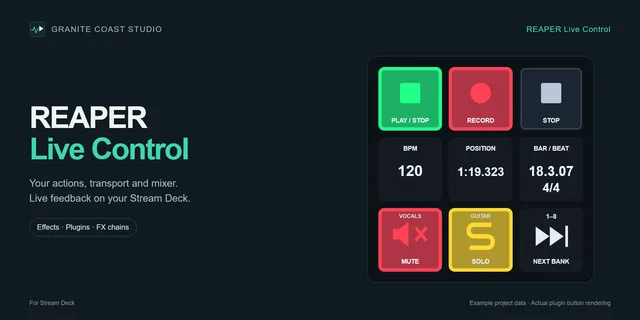
REAPER Live Control product preview from Elgato Marketplace, showing transport keys and live session readouts.

Demo

See it run in a real session

Live transport feedback, Action List search and mixing controls, all from the Stream Deck.

Capabilities

Everything REAPER, on your keys.

Live Control groups the essentials of your session into five focused areas.

  • Transport

    Transport with live feedback

    Play, Stop, Pause and Record keys light up to match REAPER's actual state. Song position, measure, beat, time signature and BPM are always on display, with Tap Tempo one press away.

    • Play / Stop / Pause
    • Record
    • Position & measures
    • Time signature & BPM
    • Tap Tempo
  • Mixer

    Mixing & track control

    Volume and pan controls, track banking, and Mute / Solo / Record Arm that reflect the real state of your tracks in REAPER.

    • Volume
    • Pan
    • Track banking
    • Mute / Solo / Arm
  • Actions

    Actions & scripts

    Search the full REAPER Action List and assign any action, Custom Action or registered script directly to a key.

    • Action List search
    • Custom Actions
    • Registered scripts
  • Effects

    Plugins & FX chains

    Find Cockos effects, third-party VST plugins and your saved FX chains in the actual Effects inspector, and put them on a key with title and styling included.

    • VST and VST3 search
    • Cockos effects
    • Saved FX chains
  • Setup

    Effortless setup

    Live Control finds standard and portable REAPER installations automatically and runs on Windows and macOS. One shared connection powers every key.

    • Auto-detection
    • Windows & macOS
    • Shared connection

Action List

Stop memorizing shortcuts.

REAPER has thousands of actions. Instead of building huge collections of keyboard shortcuts, search the full Action List directly from your Stream Deck and put any command on a key.

  • Search everything, by name, Command ID or shortcut.
  • Your Custom Actions, assign the workflows you have built yourself.
  • Registered scripts, reach your installed ReaScripts and extensions instantly.
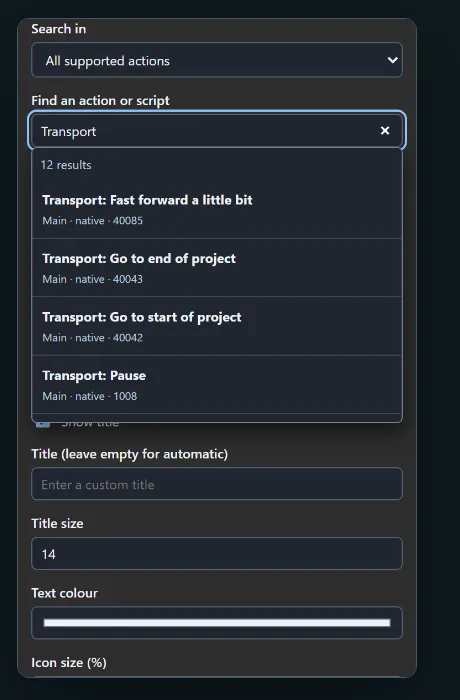
The REAPER Live Control action inspector searching for transport actions, with results from the Action List.
Action inspector with Action List search
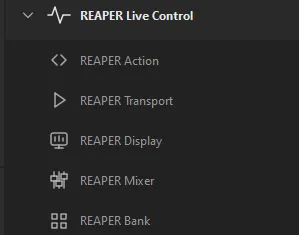
Stream Deck action list showing the REAPER Live Control actions: Action, Transport, Display, Mixer and Bank.
Right in Stream Deck's action list

Live feedback

The keys know what REAPER is doing.

Every key mirrors the real current state inside REAPER, updated live through the built-in web interface.

Mute, Solo and Record Arm light up exactly as they are set on each track in REAPER.

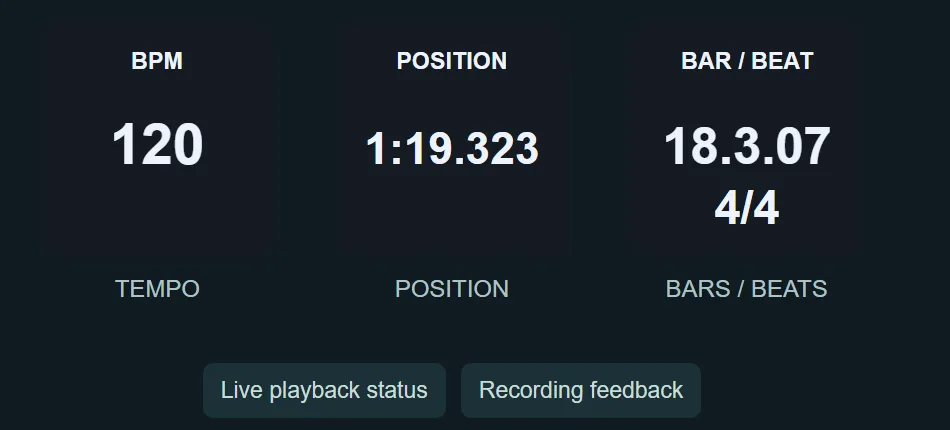
Stream Deck keys showing live readouts: BPM 120, song position 1:19.323 and bar/beat 18.3.07 in 4/4.
Tempo, position, bars and beats, live from REAPER

Your look

See the state. Set the style.

Separate icons and colours for on and off states, editable titles and text sizes. The deck reads exactly the way you want at a glance.

  • REAPER icons load in automatically, toolbar and track icons, no setup.
  • Bring your own PNGs, custom icons for any key. Or use the Music Production Icon Pack.
  • Tune every detail, active colours, icon size, titles.
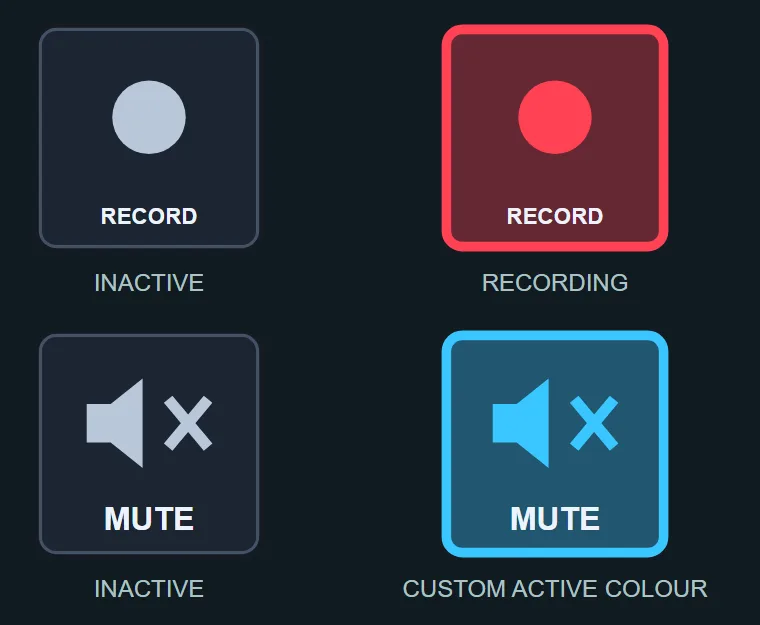
Record and mute keys shown inactive and active, with custom active colours applied.
On and off states, custom active colour
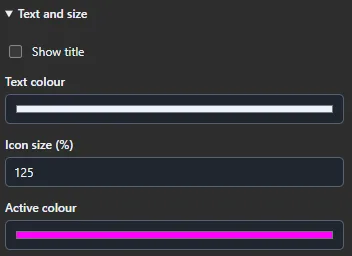
Plugin settings for text and size: show title, text colour, icon size and active colour.
Per-key text, size and colour

Plugins & FX

Search plugins and FX chains.

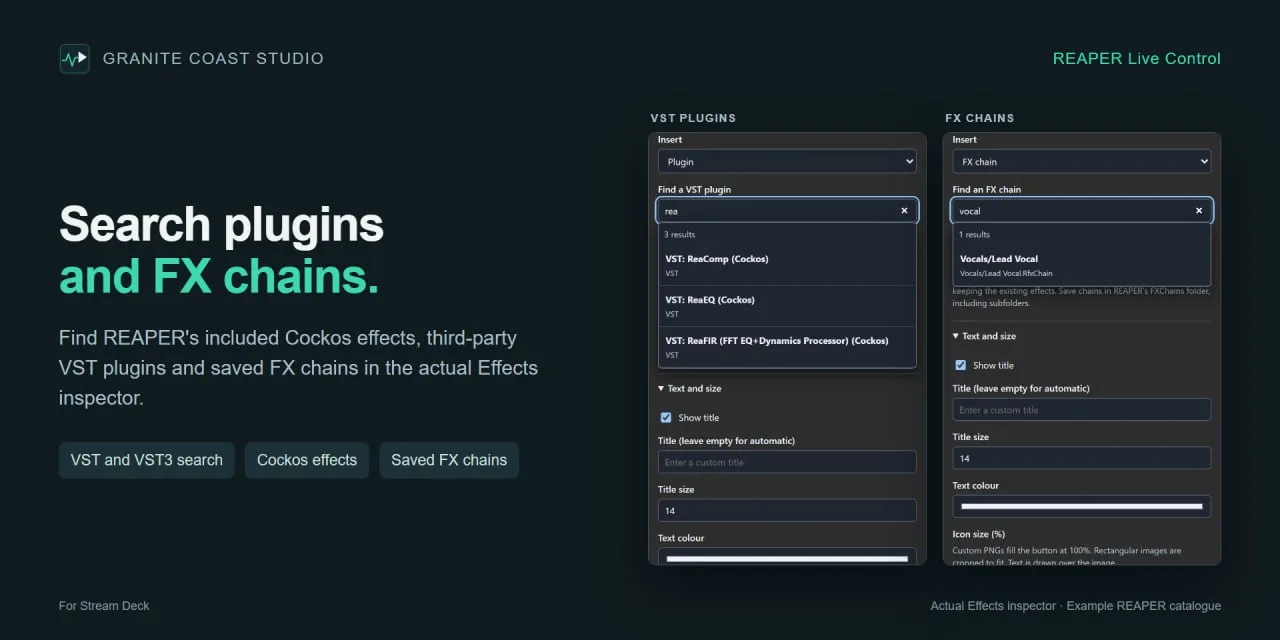
Find REAPER's included Cockos effects, third-party VST plugins and your saved FX chains in the actual Effects inspector, and drop them straight onto a key.

Two Stream Deck inspector panels side by side: one searching VST plugins, the other searching saved FX chains for a vocal chain, with title and styling settings below.
The Effects inspector, with an example REAPER catalogue
  • VST and VST3 search, browse your installed plugin catalogue by name.
  • Cockos effects, ReaEQ, ReaComp and every other bundled effect.
  • Saved FX chains, put a whole chain on one key, title and styling included.

Setup

Running in minutes, not evenings.

Get it on the Elgato Marketplace
  1. Install the plugin

    Get REAPER Live Control directly from the Elgato Marketplace onto your Stream Deck.

  2. Start REAPER

    Live Control automatically detects standard and portable REAPER installations. No manual paths, no configuration files.

  3. Assign your keys

    Search actions, drop transport and mixing controls onto the deck. One shared connection through REAPER's web interface powers everything.

Platform support

Windows
Supported
macOS
Supported
REAPER
Standard and portable installs
Stream Deck
Elgato plugin

Setup questions? The REAPER Live Control FAQ covers the web interface, portable installs, scripts and key styling.

Featured on

This is about the nicest implementation I think I've seen for the Stream Deck (or, indeed, elsewhere).

Peter Kirn, CDM Create Digital Music, on REAPER Live Control

Your session, at your fingertips.

Get REAPER Live Control from the Elgato Marketplace and put your whole REAPER session on the Stream Deck.

Get REAPER Live Control

Comparing options? Read our review of six ways to control REAPER with a Stream Deck.